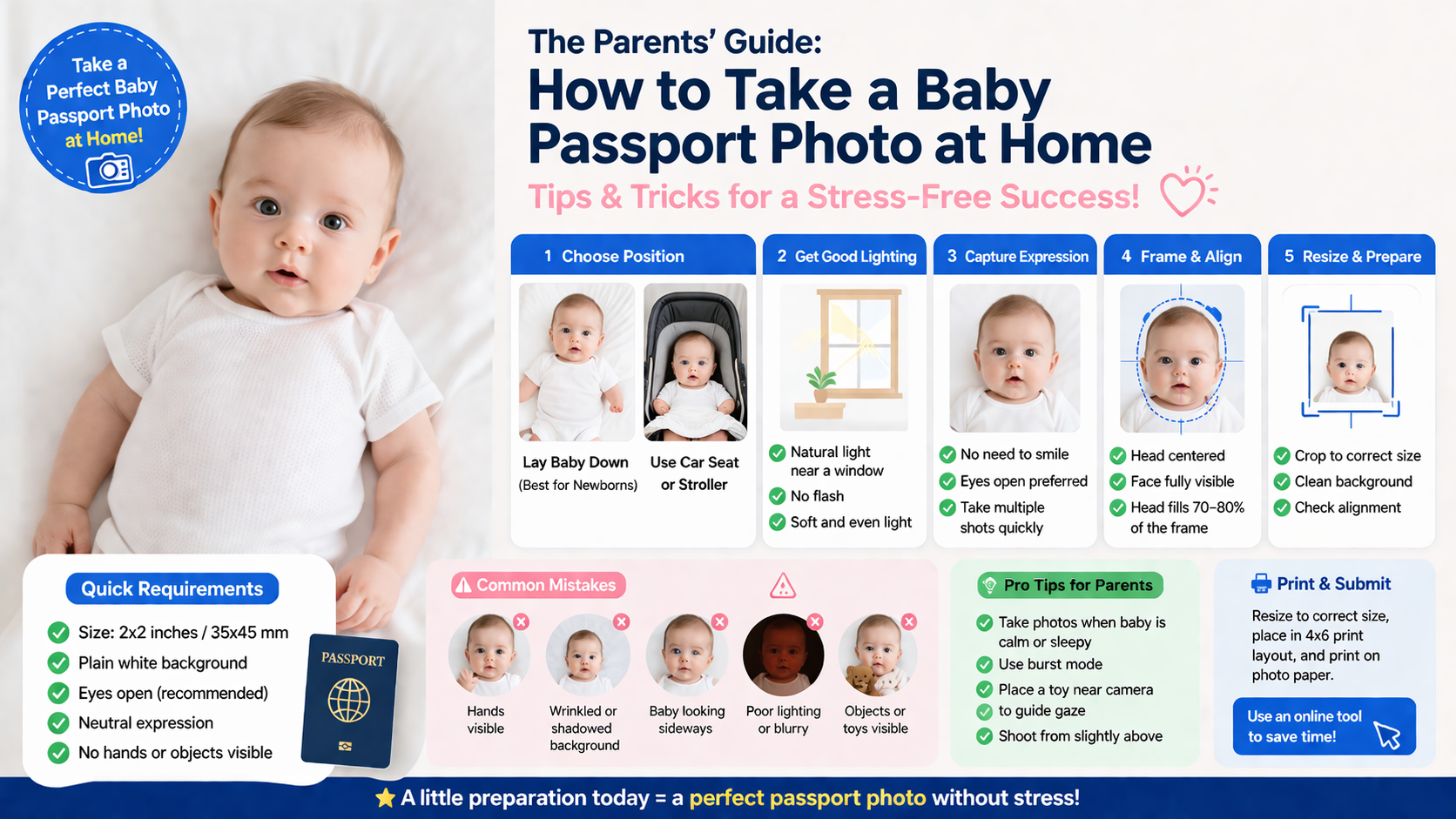
 (Image generated by AI)
The Parents' Guide: How to Take a Baby Passport Photo at Home (Tips & Tricks)
Taking a baby passport photo can feel impossible—babies don’t sit still, won’t look at the camera, and definitely won’t follow instructions.
The good news? You can still take a fully compliant passport photo at home—safely and quickly.
This guide walks you through exactly how parents do it successfully, including positioning tricks, lighting setup, and how to avoid rejection.
For general requirements, see our Complete Passport Photo Guide.
👶 Baby Passport Photo Requirements (Quick Summary)
While rules vary slightly by country, most baby passport photo requirements include:
- Size: Usually 2x2 inches or 35x45 mm
- Background: Plain white
- Eyes: Open (recommended but flexible for newborns)
- Expression: Neutral (no need for perfect pose)
- No hands or objects visible
📌 Important: Unlike adults, babies are allowed more flexibility, but the photo must still be clear and properly framed.
For country-specific details:
👉 US Passport Photo Requirements
👉 China Passport Photo Requirements for Baby
⚡ Step-by-Step: How to Take a Baby Passport Photo at Home
Step 1: Choose the Safest Position (Most Important)
You have two proven methods:
✅ Method 1: Lay Baby Down (Best for Newborns)
- Place baby on a white sheet
- Ensure the sheet is flat (no wrinkles)
- Take photo from directly above
✅ Method 2: Use Car Seat or Stroller
- Cover seat with a white cloth
- Keep baby upright and supported
- Make sure no straps or hands are visible
🚫 Avoid:
- Holding the baby (hands may appear)
- Busy or dark backgrounds
Step 2: Get Proper Lighting (No Shadows)
Lighting is one of the biggest rejection reasons.
Best setup:
- Use natural light near a window
- Avoid flash (can cause red-eye or shadows)
- Keep lighting soft and even
👉 Learn what to avoid:
Top 7 Reasons Why Passport Photos Get Rejected
Step 3: Capture the Right Expression
Good news for parents:
- Baby does NOT need to smile
- Slight movement is okay
- Eyes open is preferred, but not always required (especially newborns)
Try this trick:
- Make a gentle sound to get attention
- Take multiple shots quickly
Step 4: Frame and Align the Face
Make sure:
- Baby’s head is centered
- Face is fully visible
- No shadows on face
- No toys, pacifiers, or hands
📏 Head should roughly fill 70–80% of the photo
Step 5: Resize and Prepare Photo
After taking the photo:
- Crop to correct size
- Ensure background is clean
- Adjust alignment
👉 Use this tool to simplify:
Resize Passport Photo Online Free
🚨 Common Mistakes Parents Make
Avoid these to prevent rejection:
- Hands or arms visible in photo
- Wrinkled or shadowed background
- Baby looking sideways
- Poor lighting or blurry image
- Using filters or edits
👉 Full breakdown:
Common Passport Photo Mistakes and Rejection
💡 Pro Tips (Real Parent Hacks)
- Take photos when baby is calm or sleepy
- Use burst mode to capture multiple shots
- Place a toy near camera to guide gaze
- Shoot from slightly above, not angle
🖨️ Printing Your Baby Passport Photo
Once ready:
- Convert to correct size
- Place into 4x6 print layout
- Print on photo paper
👉 Step-by-step:
How to Print Passport Photos at Home
❓ FAQ
Can a baby close their eyes in a passport photo?
For newborns, yes (in some countries). For older babies, eyes should be open if possible.
Can I hold my baby?
No. Your hands must not be visible in the photo.
Can I take the photo with a phone?
Yes. Most smartphones are fully sufficient.
🚀 The Easiest Way (Recommended)
If you already have a clear baby photo with a white background, you don’t need to retake it.
👉 Simply:
- Upload your photo
- Auto resize to passport size
- Generate a print-ready layout
- Download instantly
Use here:
👉 Best Free Passport Photo Tool (No Watermark)
✅ Final Checklist
Before submitting:
- Correct size
- White background
- No hands visible
- Face centered
- No shadows
- Clear image
Conclusion
Taking a baby passport photo at home may seem difficult, but with the right setup, it’s completely doable—even in one try.
Follow the steps above, take multiple photos, and choose the best one.
👉 Already have a white background photo?
Just use our tool to resize + create print layout instantly:
Best Free Passport Photo Tool (No Watermark)