There is nothing more frustrating than having your passport application delayed for weeks because of a "non-compliant photo." According to the U.S. State Department, photo issues are the #1 reason passport applications are put on hold.
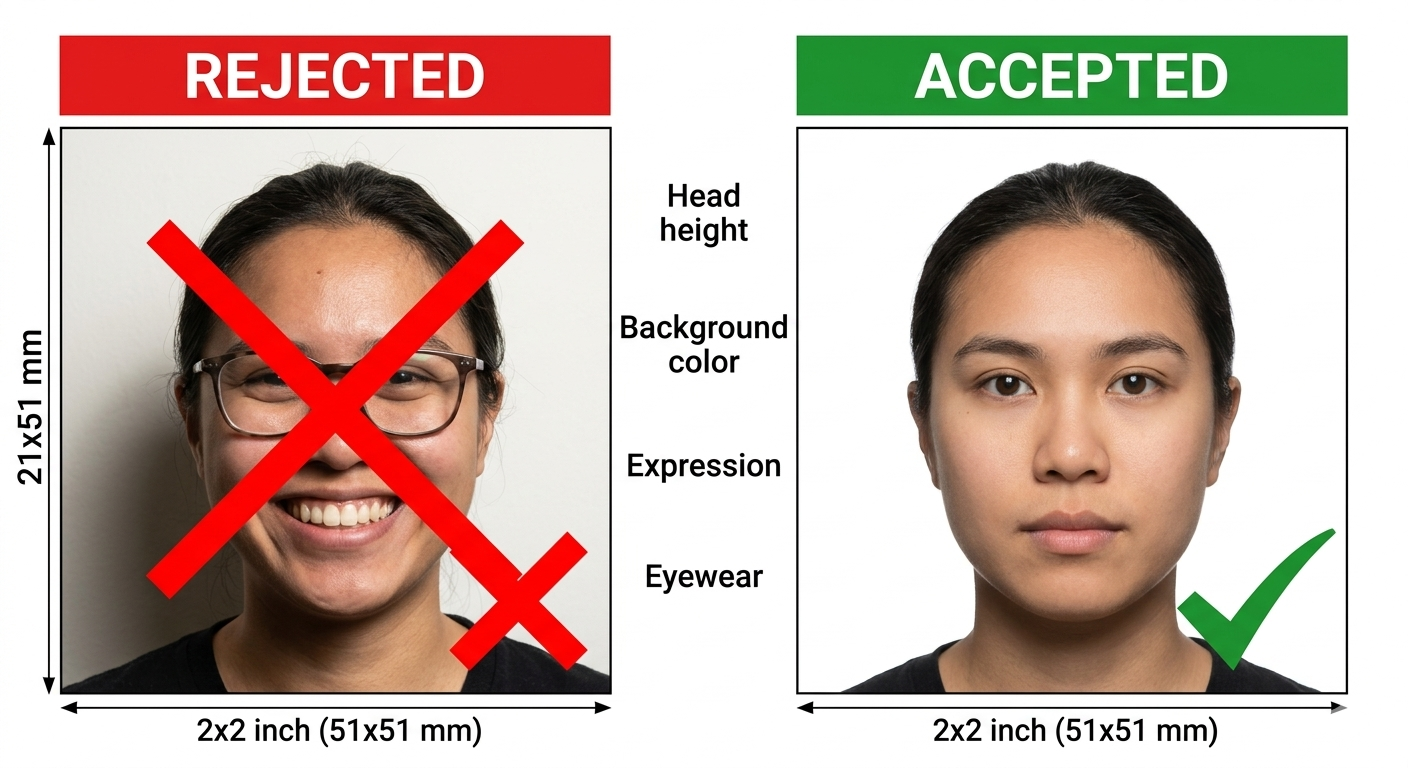
To ensure your application is accepted the first time, avoid these 10 common mistakes when using our Free Passport Photo Generator or taking photos at home.
1. Wearing Glasses
This is now the most frequent reason for rejection. Since 2016, the U.S. government has strictly prohibited glasses in passport photos. Even if you wear them every day, you must take them off for the photo.
2. Improper Background Color
The passport photo background must be plain white or off-white.
- Mistake: Using a background with patterns, shadows, or colors (even light blue).
- Solution: Stand against a flat white wall. Avoid walls with heavy texture or "eggshell" finishes that can look yellow under warm lights.
3. Shadows on the Face or Background
Shadows create "biometric noise" that facial recognition software cannot process.
- The Fix: Use natural light. Face a window directly so the light hits your face evenly. Avoid overhead lights that create "raccoon eyes" (dark shadows under the eyes).
4. Incorrect Head Size (The 1-inch to 1 3/8-inch Rule)
Your head must be between 1 inch and 1 3/8 inches from the bottom of the chin to the top of the head.
- How to avoid: Use our Automatic Cropping Tool. We provide a digital overlay that ensures your head size is mathematically perfect for the 2x2" requirement.
5. Unnatural Facial Expressions
While you might want to look your best, a wide "tooth-showing" smile can lead to rejection.
- Rule: Maintain a neutral facial expression or a natural, closed-mouth smile. Both eyes must be open and looking directly at the camera.
6. Over-Editing or Using Filters
In the age of Instagram, it’s tempting to "touch up" a photo. However, passport photos must be a true likeness of you.
- Mistake: Using beauty filters to smooth skin or changing the color balance.
- Rule: High-resolution, unedited photos are mandatory.
7. Wearing the Wrong Clothing
- Mistake: Wearing a white shirt that blends into the background (the "floating head" effect) or wearing a uniform/camouflage.
- Solution: Wear dark-colored, casual clothing to create a clear contrast with the white background.
8. Head Coverings (Non-Religious)
Unless worn for religious or medical purposes (with a signed statement), your hair and hairline must be visible. Hats, headbands, and large hair clips are not allowed.
9. Blurry or Low-Resolution Images
A 2x2" photo must be printed at 300 DPI.
- Mistake: Using a screenshot or a photo taken in low light.
- Solution: Use the rear camera of a modern smartphone (avoid the "selfie" camera as it is often lower quality).
10. Old Photos
Your passport photo must be taken within the last 6 months to reflect your current appearance. If you have significantly changed your weight, hair color, or had major facial surgery, you need a new photo.
Compliance Checklist Summary
| Feature | Requirement | | :--- | :--- | | Dimensions | Exactly 2x2 inches (51 x 51 mm) | | Background | Plain White or Off-white | | Glasses | No (Even prescription) | | Smile | Neutral or Natural (Closed mouth) | | Recency | Taken within 6 months |
Final Thoughts
Don't risk your travel plans over a simple mistake. Our tool is designed to catch 90% of these issues by providing a standardized grid and 300 DPI output.
Check Your Photo Compliance Now →
Disclaimer: While our tool follows official guidelines, final approval is always at the discretion of the passport issuing authority.